One terminal for every futures account you trade.
Live accounts, charts, a Copy Trader and a journal you own, in one desktop app for Windows and Mac, with a web version.
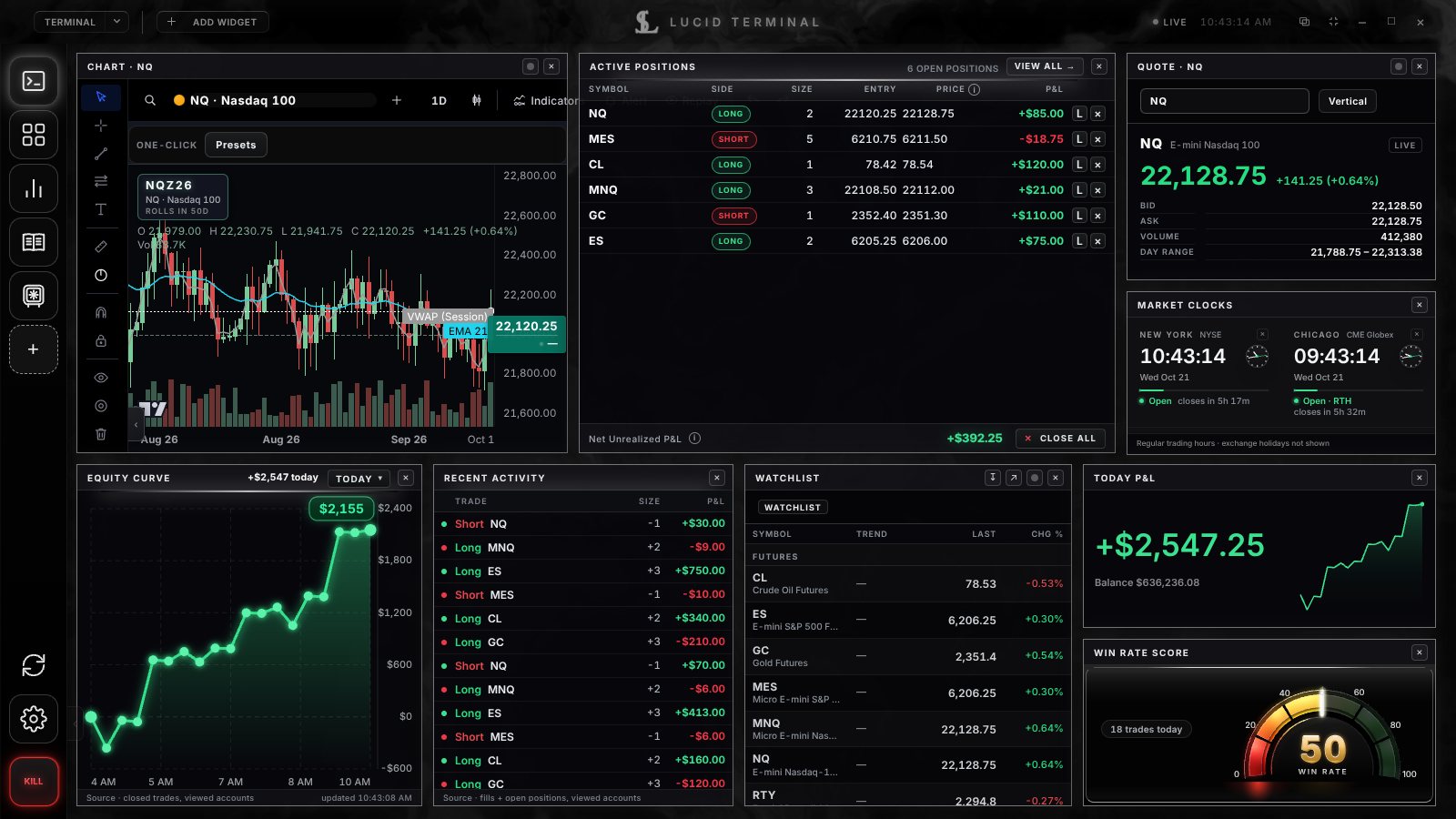
Build the screen you trade from.
Start from a blank canvas and add only the widgets you want. Snap and resize them, link them to one symbol, and open as many windows as you have monitors. Every layout comes back after a restart.
- Futures, Stocks, Options and Crypto canvases, plus a blank Terminal canvas
- Live balances, positions and P&L from the accounts you connect
- Unlimited windows on every plan, each with its own layout
- Colour-linked symbols and one-click CSV export
Details
- Futures — Tradovate through our NinjaTrader vendor integration (Demo or Live), plus Tradovate-backed prop firm accounts
- Stocks & options — Robinhood, Charles Schwab, Fidelity (view-only), Interactive Brokers, Webull, E*TRADE, tastytrade, Vanguard (view-only), Alpaca, TradeStation and Public through a secure broker sign-in portal. View positions, orders and history, close positions and cancel orders. Lucid Terminal never places opening stock or options orders
- Crypto — link crypto exchanges and read-only wallets, see your portfolio and look up any token. Placing crypto trades from Lucid Terminal is coming soon
- Any other broker — import your trades by CSV into the Trade Log
- No connection limit on any plan — switch individual accounts on or off whenever you like
- Restored after a restart — windows reopen at their saved size and place, after you sign in (and enter your PIN, if you set one)
- Only layout is saved — window positions, mode and tab; never tokens or account data
- Symbol groups — give widgets a colour group (A to D) and they follow the same symbol: change it in the chart and the quote box follows
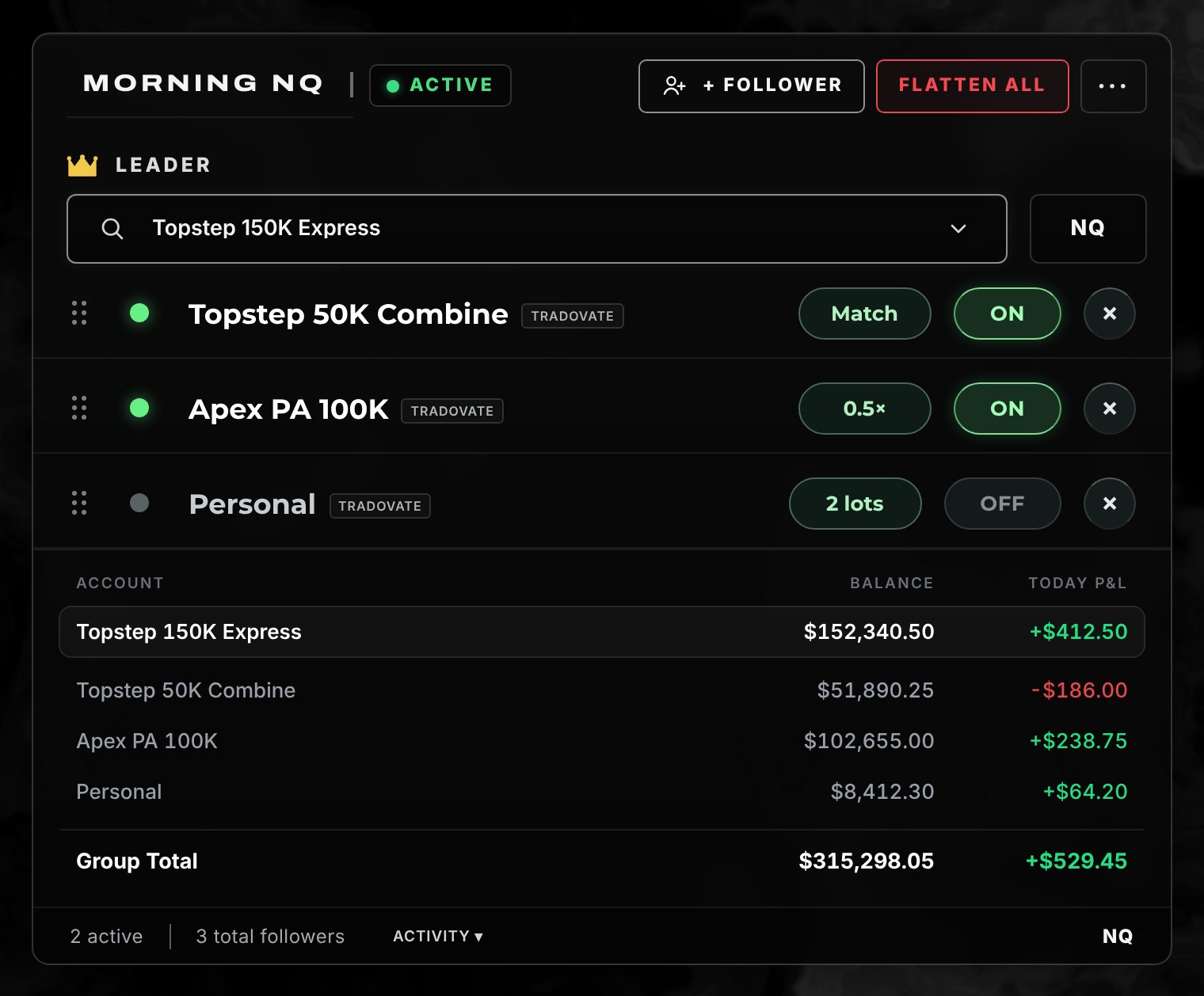
Copy groups for the accounts you trade.
Pick one of your accounts as the leader and add your other accounts as followers, each with its own size and daily loss cap. Every account in a group must be connected to your own login. Copy Trader never follows another person’s trades.
- Size per follower: match the leader, a fixed quantity, or a multiplier
- A daily loss cap per follower, in dollars
- Pause and Flatten All on every group, plus the Kill Switch
- Built for traders who run several Tradovate and prop-firm accounts
Details
- Same-user only — the server checks that the leader and every follower belong to your login before a group can be saved
- Plan changes are handled — if your plan stops including Copy Trader, your groups pause automatically. Nothing is closed for you, and Flatten and Kill stay available.
- On the desktop and web terminals — Free accounts keep the tab and see which plans include it.
- Futures symbols — NQ, MNQ, ES, MES, YM, MYM, RTY, M2K, CL, MCL, GC, MGC, SI, SIL.
- Your firm’s rules still apply. Check your prop firm’s own rules on automation and copying before you use it — you decide, we don’t enforce.
Futures trading involves substantial risk of loss. Copy Trader does not predict or guarantee results. See Risk Disclosures.
Charts with the indicators you actually use.
Standard indicators come with every plan. Elite and up add advanced indicator packs, and anyone can build an indicator of their own from simple blocks, with no code.
- EMA, SMA, VWAP, RSI, MACD, Bollinger Bands, ATR, Supertrend and more on every plan
- 25 advanced indicators in five packs: volume, structure, sessions and levels, trend and volatility, confluence
- An indicator builder with a live preview on your chart’s bars
- Settings saved per chart, and the same math in the chart and the backtester
Details
- Chart candles are labelled sample candles; your own trades, positions and balances are always real.
- Cumulative delta and the volume profile are estimates built from bars. Lucid does not have tick or order-flow data.
- A locked pack is never computed or drawn below Elite. Clicking it explains the plan instead.
- Charts run on TradingView Lightweight Charts™.
Charts by TradingView · Our charts are built with TradingView technology. Charts are free on every plan.
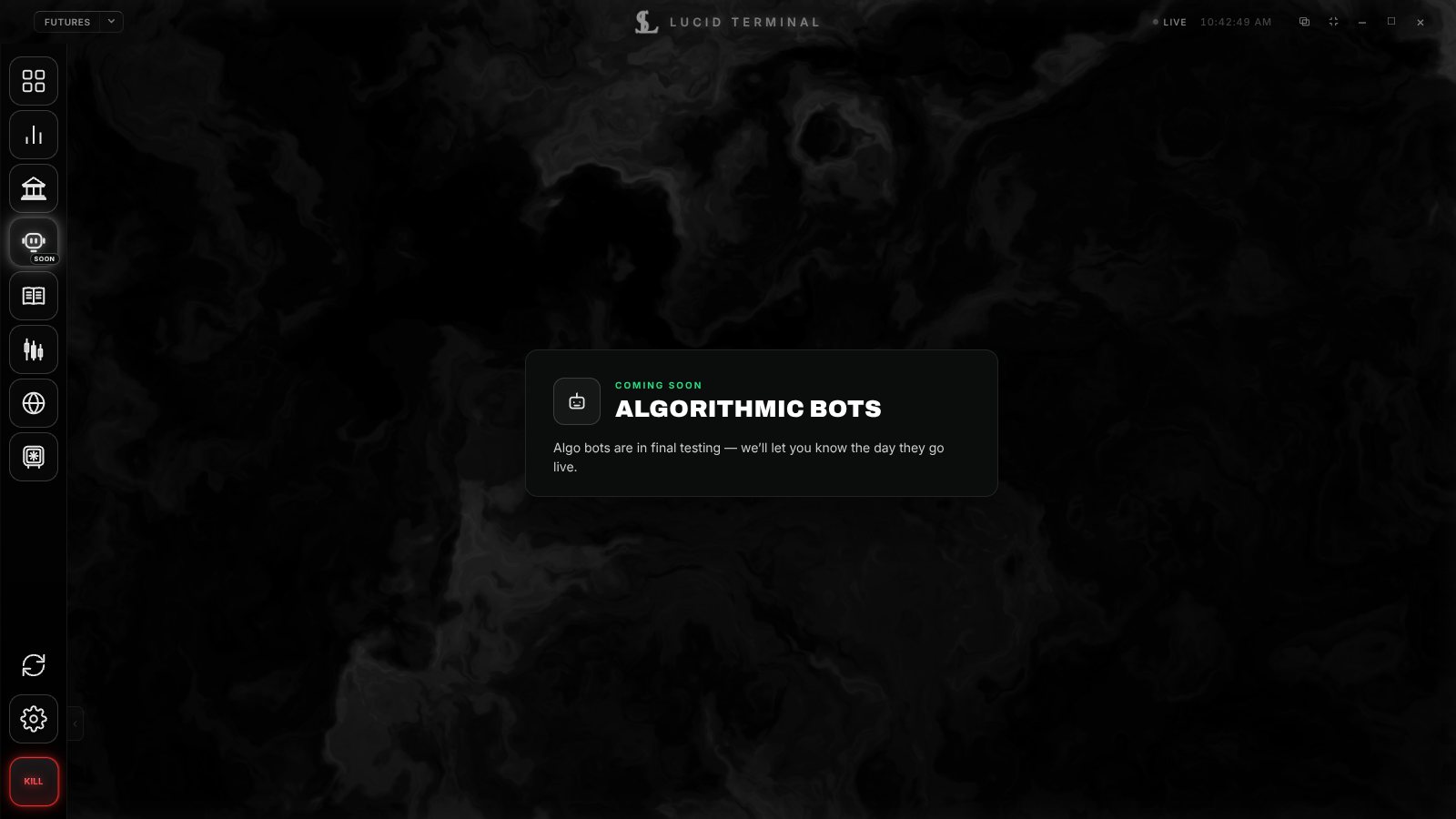
Build a bot, then test it on your own data.
Algorithmic Bots are in final testing. You build a bot from rules or in code, backtest it on bars from your own accounts or files, and paper-trade it before you decide where it runs.
- Test on the chart on screen, your broker history, your saved chart archive, or your own CSV file
- Results after commissions and fees, with the data used named on every result
- A clear note when a result has too few trades to tell an edge from luck
- Risk caps per bot, the Kill Switch and Flatten All
Backtested and paper results are hypothetical and do not predict future results. Lucid never backtests on made-up prices. Futures trading involves substantial risk of loss.
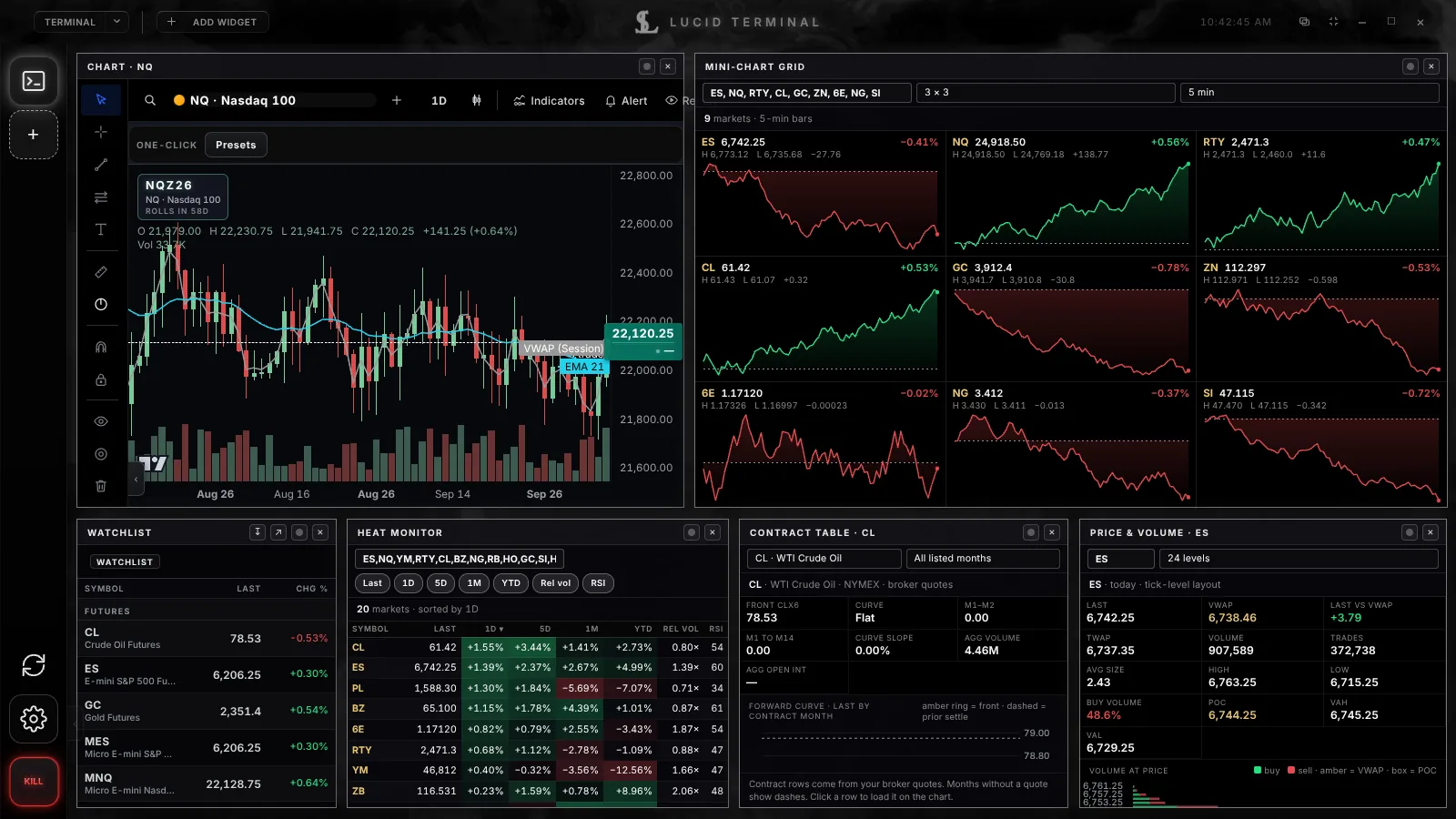
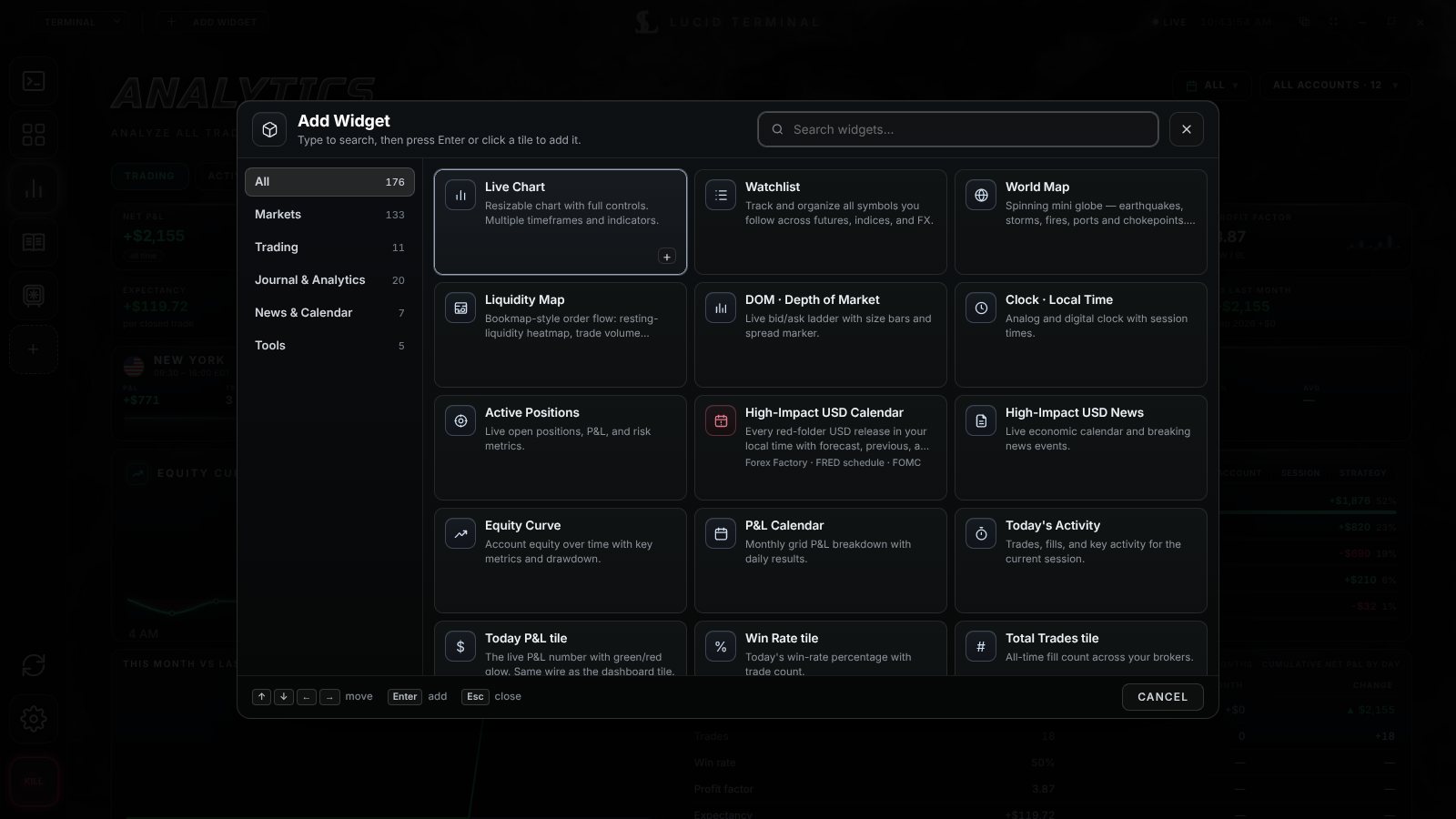
A deep widget catalog, honest about what’s live.
+ Add Widget opens a searchable catalog of market, account, news and macro widgets. A widget that is not live is marked clearly and never shows made-up numbers.
- Charts, watchlist, depth of market, quotes and the World Map globe
- Positions, equity curve, P&L calendar and stat tiles from your accounts
- Technical dashboard and screener on our own data, Pro and up
- Market intelligence by plan: energy, yield curve, positioning, freight and more
What’s coming
- Coming soon Company Tear Sheet, Financial Summary, Earnings & Estimates — unlock when we add Intrinio (US fundamentals). Pro and up
- Coming soon World Equity Indices — Elite and up
- Coming soon Global Macro Monitor, Yield & Spread Calculator — unlock with Trading Economics (global sovereign curves). Elite and up
- Coming soon Top News — Lab and up
- Coming soon Lab Chat — trader-to-trader messaging, our own build, after moderation and a legal review. Lab and up
- Options — heat map and gamma exposure (GEX), shown as labelled sample data until live options data is connected
- News & time — high-impact USD news, a scrolling headline ticker from free feeds, multi-timezone market clocks, local-time clock
- Full plan details, including what data each plan includes, are on the pricing page.
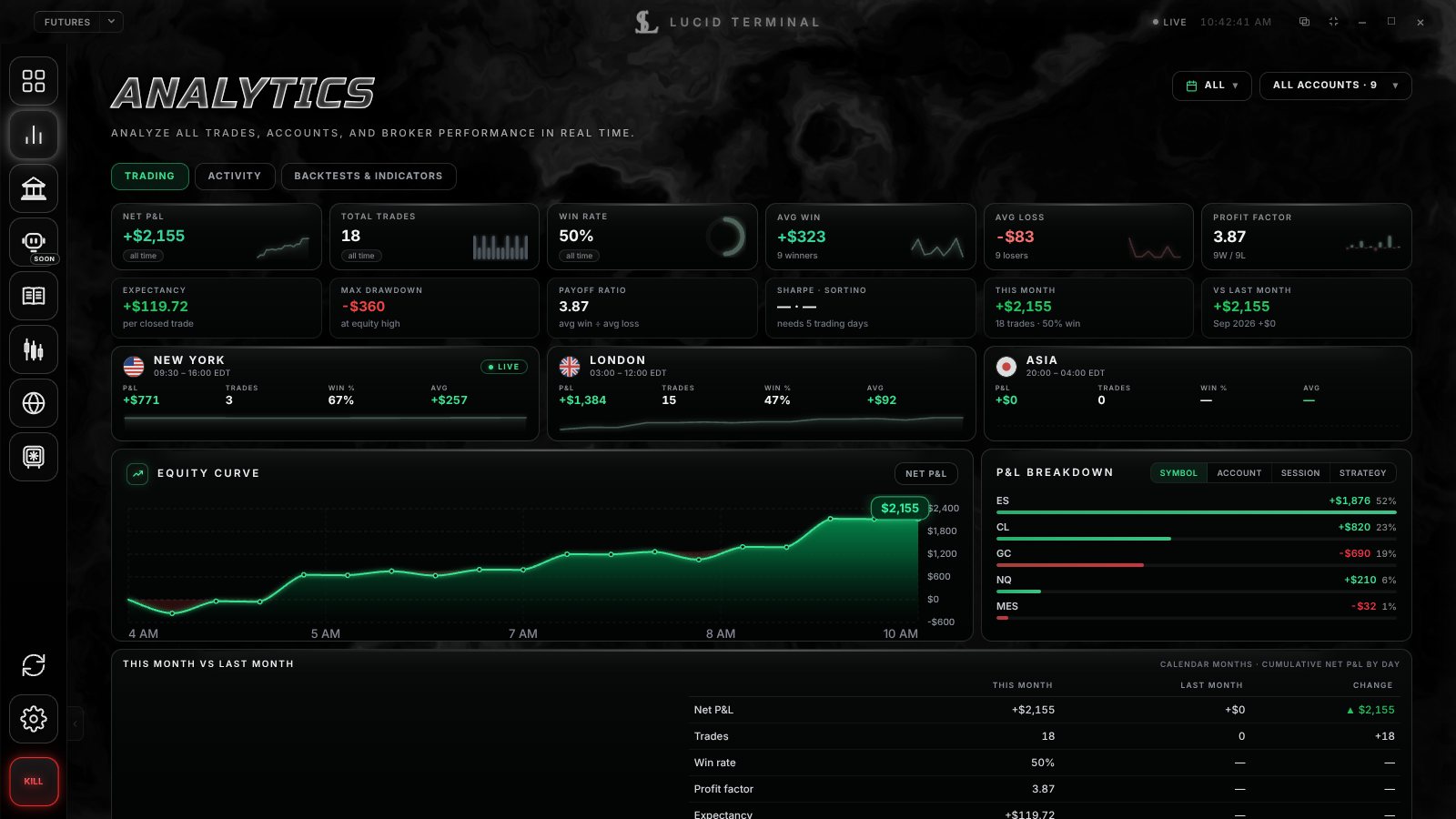
Every trade journaled. Every setup measured.
Each trade is written to an Obsidian vault or Git repo that you own, and the Analytics tab shows which sessions and setups work for you. On Pro and up, the World map puts energy, freight and chokepoints next to the markets you trade.
- One trade log across every broker, with CSV import and export
- Win rate, profit factor, equity curve, and P&L by session and direction
- Data Clocking: anonymized statistics from the Lucid Data Pool, shown only when at least 20 traders are behind them
- World map with core intel on Pro and up; deeper layers Coming soon
Details
- In the desktop app, open Settings → Journal Destination and click Connect Obsidian (pick a vault already on your computer — OneDrive, iCloud or local all work) or Connect Git (sign in to GitHub and pick or create a private repo). Use one or both.
- Every trade becomes a markdown note with date, symbol, side, size, entry and exit, P&L and session, plus the indicator fields you choose, and each trading day gets a daily note. Existing notes are never overwritten, so your own thoughts stay.
- Search your trades, notes, strategies, screenshots and journal entries in one place, with a graph view. Chart snapshots you take are saved to Vault → Screenshots.
- One thing to know: if you connect an Obsidian vault while signed in, the desktop app also uploads the markdown notes to your Lucid account so you can read your journal in the web terminal. They are stored with your account, not shared.
- Statistics are aggregated across traders, rounded with a little noise added, and shown only when at least 20 different traders contributed.
- Contributing is how Free stays free. It’s disclosed in the Terms at signup, and Free accounts can’t opt out.
- Your choice. Switch off Aggregated data pool in Settings → Privacy & Data and your account stays fully active; Data Clocking then uses only your own trades. Trades contributed earlier remain in the aggregate, as the Terms explain.
- The Crowd Positioning widget (Pro and up) shows the long/short split of recent entries, and says “calibrating” until enough traders share. Statistics describe the past; they are not predictions or financial advice.
Works with
 Tradovate
 NinjaTrader platform
 Robinhood
 Charles Schwab
 Fidelity
 Interactive Brokers
 Webull
 E*TRADE
 tastytrade
 TradeStation
Security & privacy
Your broker password never touches our servers.
You sign in on your broker’s own secure page. Logins and API keys you enter in the desktop app are encrypted by Windows or macOS.
We never sell your personal data.
The Lucid Data Pool takes a fixed list of trade fields, never names, emails, account numbers, notes or screenshots. Paid plans can switch it off.
Honest by default.
Screens on this site use demo data and say so. Anything not live yet is labelled that way. Statistics describe the past and are not advice.
Details
- Two-factor authentication (Settings → Account) and an optional App PIN lock
- Lucid account passwords hashed with Argon2id
- Broker connection tokens we hold are encrypted at rest (AES-256-GCM)
- Your GitHub sign-in stays on your computer. The token is encrypted with Windows or macOS secure storage and never sent to our servers.
- We never sell personal information. After 90 days, the user ID on a pooled trade is replaced with a one-way hash, and you can ask us to delete your identifiable trade data inside that window. Individual trades are never shown to other users.
- You can ask us to delete your identifiable trade data (inside the 90-day identifiable window) any time from Settings → Privacy & Data or privacy@lucidterminal.io.
- HTTPS everywhere
- CCPA deletion rights (on identifiable data only)
- 18+ — US residents only